01
Protect
Choose your photos and wait until Markever confirms they are Protected.
Markever keeps a protected copy in your Apple account, separate from Photos. Once an item shows Protected, delete the original to clear space and restore it later.
This real walkthrough deletes 11 items, shows them preserved in Recovered, restores all 11, and finishes with Recovered empty because they are back in Photos.
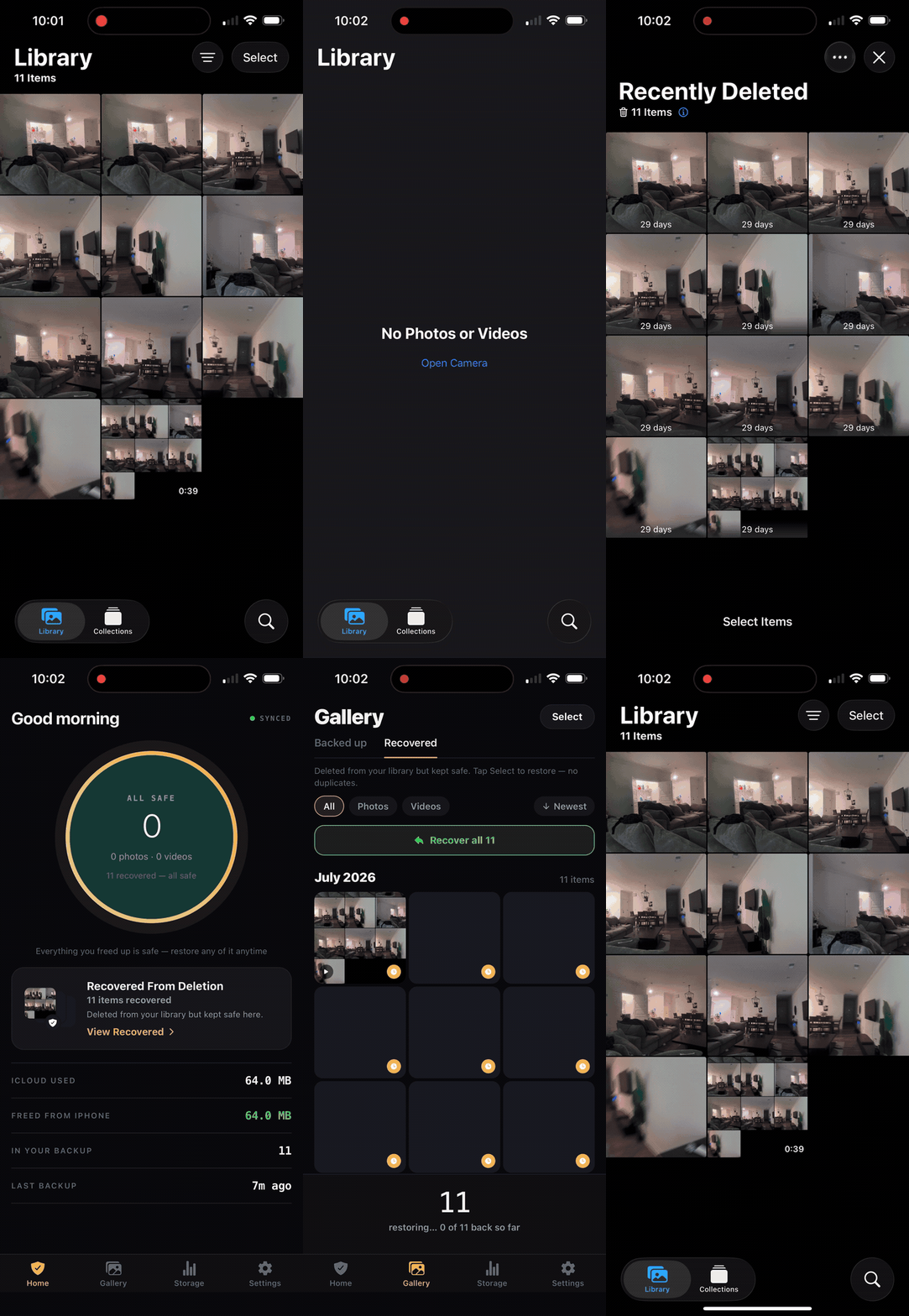
Choose your photos and wait until Markever confirms they are Protected.
Clear the originals from Photos when you want the space.
Bring back one memory or your recovered set whenever you need it.
Protected copies use storage you control.
Markever never receives or sees your media.
Nothing is removed from Photos without your approval.
In protected app storage tied to your Apple account, not on Markever servers.
Yes. Each protected copy uses space from your own iCloud plan.
No. Markever only offers Free Up for items already marked Protected, and you approve every removal.
Markever skips items it can confidently identify in Photos. When a match is uncertain, restoring may create another copy.
Need help? support@markever.app